

Beware: That ‘Unsubscribe’ Button Could Be a Scam
When You Can’t Trust the “Unsubscribe” Button
Most legitimate bulk emails—like newsletters, promotional offers, streaming service updates, or charity solicitations—include an “unsubscribe” link, typically at the bottom of the message. For the most part, this remains a convenient and relatively safe way to clear out a cluttered inbox. But digital security experts warn that this isn’t always a risk-free option.
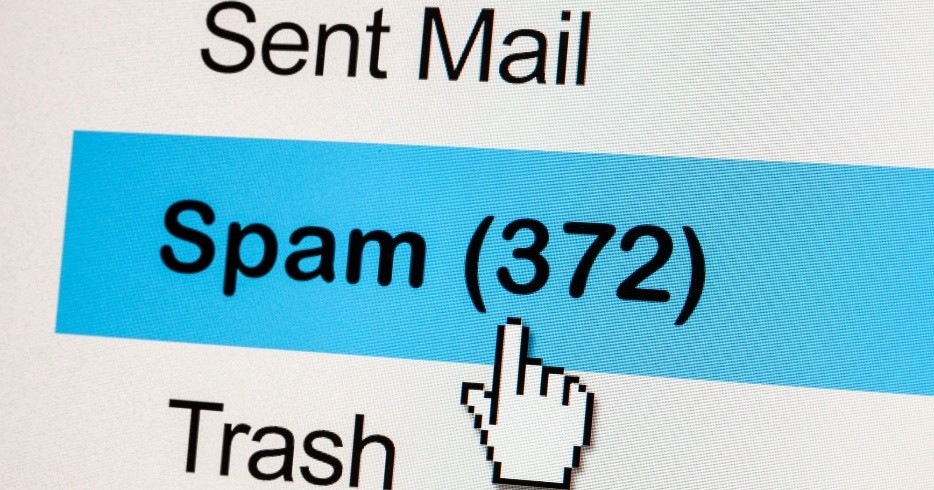
Figure 1. Think Twice Before Clicking That ‘Unsubscribe’ Link.
Keanini explained that clicking any link that takes you outside your secure email environment and onto the open web introduces potential security threats. Figure 1 shows Think Twice Before Clicking That ‘Unsubscribe’ Link.
According to DNS Filter, roughly 1 in every 644 unsubscribe links may redirect users to malicious websites. While that number might sound small, consider how many unwanted emails you delete—or almost delete—each week. Even a single misstep could pose a risk.
Why Scammers Use Emails as Bait
Why go through the trouble of tricking someone into thinking they’re finally clearing out their overflowing inbox? For scammers, it’s an easy way to confirm that a real person is actively monitoring the email address—and even better, one who’s likely to engage with spam. While this may not cause immediate harm, it increases the chances of that person being targeted in future scams.
In a more serious scenario, a fake unsubscribe link may redirect you to a seemingly legitimate website designed to steal your login credentials. A good rule to follow: no reputable company will ever ask for your username and password after you click an unsubscribe link.
That said, some legitimate unsubscribe processes do ask you to reenter your email address. That’s usually safe—these systems often rely on a generic link sent to all recipients and need you to confirm your address to know which one to remove from the list.
Tips for Spotting and Avoiding Email Scams
Most email scams are fairly easy to identify with a bit of caution. For added protection, consider using “list-unsubscribe headers” when available. These are special links inserted by your email provider—often near the subject line or message header—that allow you to unsubscribe with a single click without leaving your email client. Because they don’t take you to the open web, they’re generally much safer.
If that option isn’t present, the “Mark as Junk” or “Report Spam” button is your next best move—a more aggressive, but effective, way to stop unwanted emails.
Additional safety tips include:
- Using dummy email accounts for sign-ups and promotions
- Enabling Apple’s “Hide My Email” feature
- Trying similar email-masking tools in Google Chrome and Mozilla Firefox
You might not be able to fully escape the endless flow of emails, but taking these steps can help you regain some control—while keeping your digital privacy better protected.
Source:POPULAR SCIENCE
Cite this article:
Priyadharshini S (2025), Beware: That ‘Unsubscribe’ Button Could Be a Scam, AnaTechMaz, pp.272
Recent Post
-
iOS 26 Beta 3 Tones Down Liquid Glass Effect
Apple continues to refine its new Liquid Glass design with the release of iOS 26 Beta.....
-
Beware: That ‘Unsubscribe’ Button Could Be a Scam
Most legitimate bulk emails—like newsletters, promotional offers streaming service updates.....
-

Google Veo 3 Now Available in India: Here's How to Get Started
Google has officially released Veo 3—its latest AI-powered video generation tool—in.....
-
Anthropic Quietly Imposes Stricter Usage Limits on Claude Code
Since Monday morning, users of Claude Code have encountered unexpected.....
-

Why A Y Combinator Startup Abandoned Its AI Agent For Windows and Pivoted
Pig.dev, a startup from Y Combinator’s Winter 2025 batch, initially....
-
Google Photos Introduces AI Tools To Remix Photos and Transform Them into Videos
Google Photos is getting a creative AI boost. The company announced....
-
Google's New AI-Powered Web Guide Experiment Reshapes Search Results
On Thursday, Google introduced a new AI-driven feature called.....

Mozilla Firefox Users, Beware! Government Alerts on Critical Browser Security Flaws — How to Protect Yourself
If you use Mozilla Firefox...

WhatsApp May Soon Allow Two Accounts on One iPhone: Here’s What to Expect
A new feature will let users add a second WhatsApp account using a.....
Perplexity AI Brings Task Scheduling to WhatsApp Chatbot: How to Use It
Perplexity AI’s WhatsApp bot now supports custom task scheduling.....
-
WhatsApp’s New Meta AI Feature Can Summarize Unread Messages
WhatsApp has launched a new feature called Message Summaries, powered.....
-

ElevenLabs Unveils Mobile App for AI Voice Creation
ElevenLabs has released a new mobile app for Android and iOS that lets users easily convert.....
-
OpenAI Tests ChatGPT's 'Study Together' Feature: How It Works
Some ChatGPT users have noticed a new feature called 'Study Together,' which takes a more.....
-
Jack Dorsey’s New App 'Bitchat' Enables Messaging Without Internet
Bitchat uses Bluetooth mesh networking to enable peer.....
-
WhatsApp to Launch Ads and Paid Subscription Options Soon
On Monday, June 16, WhatsApp announced plans to introduce ads and paid.....