

New Technology Detects Hidden Malware on Android Devices
Malware Exploits Accessibility Features to Perform Harmful Actions on Android Devices
Some Android malware can misuse accessibility services to read on-screen content and carry out unauthorized actions—like tapping buttons, approving transactions, or blocking removal attempts. In extreme cases, this can result in unauthorized banking transfers or persistent infections that are difficult to eliminate.

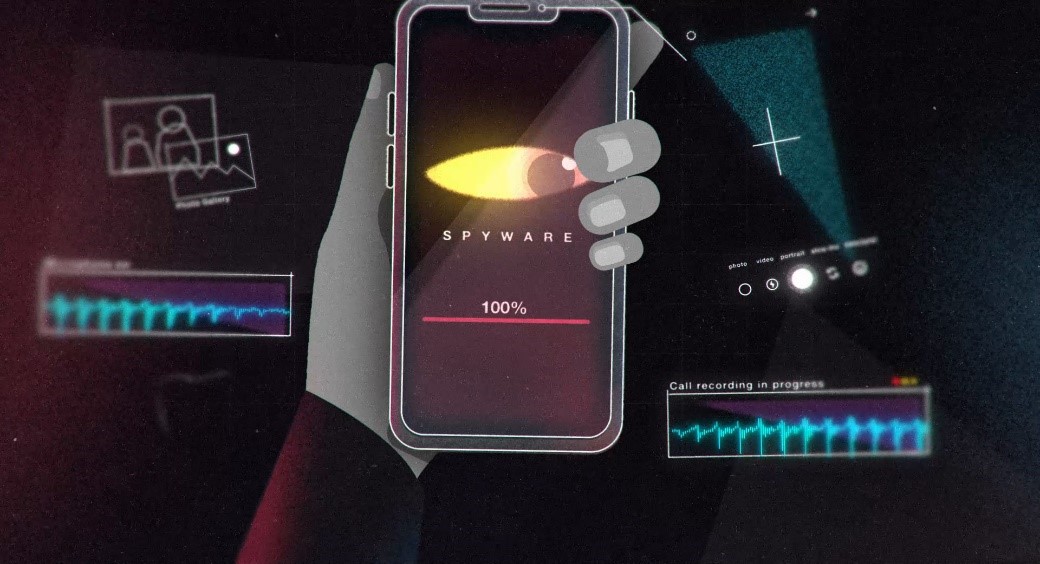
Figure 1. Spotting Hidden Malware on Android with New Tech.
Typically, such malware infiltrates devices when users click phishing links or unknowingly download malicious apps—even from trusted sources like the Google Play Store. Once installed, these threats can target sensitive applications, including cryptocurrency wallets and rideshare apps that store payment details. Figure 1 shows Spotting Hidden Malware on Android with New Tech.
To combat this, researchers at Georgia Tech have developed a new cloud-based tool called Detector of Victim-specific Accessibility (DVa). DVa scans Android devices for malware exploiting accessibility services and generates a detailed report for users. The report identifies malicious apps, explains how to remove them, and lists which legitimate apps were targeted. It also provides contact information for affected services and shares findings with Google to help eliminate the threats more broadly.
“As we continue to design systems that are more and more accessible, we also need security experts in the room,” said Brendan Saltaformaggio, associate professor in the School of Cybersecurity and Privacy and the School of Electrical and Computer Engineering. “Because if we don’t, they’re going to get abused by hackers.”
Modeling Malware to Test Smartphone Vulnerabilities
To assess how susceptible smartphones are to these types of attacks, the research team set up five Google Pixel devices and conducted in-depth malware analysis. In collaboration with Netskope — a leading company in cloud, data, and network security — the Georgia Tech researchers aimed to strengthen smartphone defenses against this advanced form of malware.
They deliberately installed sample malware on each device to observe its effects and used DVa to track and report the malicious behavior. This allowed the team to understand how the malware operates and compromises system integrity.
While DVa effectively detects ongoing attacks, the researchers emphasized a key challenge: removing malware without disrupting legitimate accessibility services. Balancing security and usability remain a critical concern.
How Malware Exploits Accessibility on Android
Some malware targets Android’s accessibility services — tools designed to help users with disabilities. Hackers misuse these services to:
- Read what's on your screen
- Tap buttons or approve transactions
- Block attempts to remove the malware
- This can lead to serious consequences, such as stolen money, locked apps, or persistent infections.
How Malware Gets In
Many users get infected by:
- Clicking phishing links (texts, emails, or ads)
- Downloading malicious apps — even from trusted sources like the Google Play Store Once inside, the malware can target sensitive apps like banking tools, rideshare platforms, or crypto wallets, putting your personal data and finances at risk.
Meet DVa – The Malware Detector
Researchers at Georgia Tech developed a tool called DVa (Detector of Victim-specific Accessibility):
- Sends you a full report showing:
- It runs in the cloud to scan your device for malware
- Which apps are malicious
- How to remove them
- How to contact the companies behind those apps
- Which apps were being targeted
Source:SciTECHDaily
Cite this article:
Priyadharshini S (2025), New Technology Detects Hidden Malware on Android Devices, AnaTechMaz, pp. 238
Recent Post
-

Hacked, Leaked, and Exposed: Why You Should Avoid Stalkerware Apps
A growing and shadowy industry caters to those looking to monitor and spy on their families. Several app ......
-
North Korean Hackers Secretly Planted Spyware on Android App Store
Yeah, it's a pretty alarming situation. North Korean state-sponsored ......
-

ChatGPT: All You Need to Know About The AI-Powered Chatbot
In 2025, OpenAI is working to counter the perception that it is losing ground in the AI race to Chinese .....
-

DeepSeek: A Comprehensive Guide to The AI Chatbot App
This week, Chinese AI lab DeepSeek gained widespread attention after its chatbot app topped the ......
-

ChatGPT's Image Generation Feature Receives an Upgrade
During a livestream on Tuesday, OpenAI CEO Sam Altman unveiled the first significant upgrade to.......
-

Waze Drops Google Assistant Support on iOS Due to Persistent Issues
Since integrating Google Assistant into Waze on iOS in 2020,........
-

Anti-Distraction Light Phone III Features Monochrome Screen and Camera
The third-generation Light Phone from the New York-based .....

Over 100 Malicious Chrome Extensions Found: Masquerading as AI Tools, VPNs, and Crypto Apps
Over the past year, an unidentified cybercriminal has created more....

Your AI at Risk: LLM Hijacking and Prompt Leaks Drive Rising Data Breaches
A junior developer at a rapidly expanding fintech startup.....

Chrome for Android Gains Smarter Text Zoom, AI-Powered Image Descriptions, and Live Captions
Google is enhancing the browsing and accessibility experience on.....
-

Gemini's Creative Tools Enhanced for Art, Speechwriting, and App Development
From Veo 3 to Jules, Google is rolling out powerful AI-driven.......
-

Google’s AI Mimicking My Writing Style Feels Unsettling, Unethical, and Risky
Over the years, Google has introduced countless tech innovations that.....
-
New Technology Detects Hidden Malware on Android Devices
Some Android malware can misuse accessibility services to read.....
-

EzUrja Unveils India’s First E-Mobility Microgrid Alongside the Nation’s Largest EV Charging Hub
India marked a significant milestone in its electric mobility journey.....
-

Tapestry App Now Filters Out Duplicate Posts from Your Social Feeds
Tapestry allows you to link multiple social accounts in one place......