

What is Microsoft’s NLWeb Project?
Microsoft’s NLWeb Project is an initiative focused on integrating advanced Natural Language (NL) capabilities into websites to create smarter, more conversational chatbots. The goal is to make chatbots on websites more intuitive, responsive, and capable of understanding complex user queries in natural language—just like talking to a human.
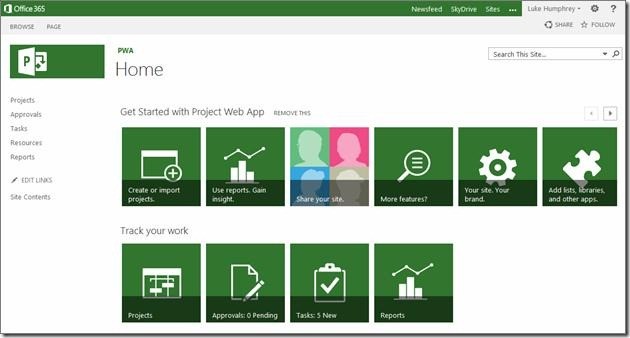
Figure 1. Understanding Microsoft's NLWeb Project: Smarter Chatbots for the Web.
Key Features:
- Natural Language Understanding (NLU): NLWeb enhances chatbots’ ability to understand the intent behind user questions, even if phrased differently or with typos. Figure 1 shows Understanding Microsoft's NLWeb Project: Smarter Chatbots for the Web.
- Context Awareness: The chatbots maintain context across multiple turns of conversation, enabling more coherent and helpful interactions.
- Easy Integration: It provides developers with tools and APIs to embed these chatbots quickly into existing websites without heavy backend changes.
- Multi-domain Support: The project supports a range of industries and use cases, from customer support to e-commerce assistants.
Microsoft Project for the web — Overview & Key Points
What is Project for the web?
- Microsoft Project for the web is Microsoft’s latest cloud-based project and work management tool.
- It’s designed to provide simple yet powerful capabilities for managing projects of any size, suitable for both project managers and team members.
- It supports planning, scheduling, and tracking work easily through an intuitive interface.
Built on Microsoft Power Platform
Project for the web is built on the Microsoft Power Platform, which includes:
- PowerApps: for building custom business apps.
- Power Automate: for workflow automation.
- Power BI: for data analytics and visualization.
- Microsoft Dataverse: the secure cloud database where Project data is stored.
Feature Availability
- Microsoft maintains a feature matrix listing which Project for the web features are available in each plan.
- Features can vary, and Microsoft updates this matrix regularly—so it’s important to check the official documentation for the latest info.
Project Roadmap & Power Automate
- Project Roadmap is a feature that lets you visualize and track multiple projects and their timelines across your organization in one unified view.
- To function, Project Roadmap depends on Power Automate — Microsoft’s workflow automation platform.
- When you subscribe to Project for the web, Power Automate is provisioned automatically as part of your subscription.
- In the Microsoft 365 admin center, this Power Automate functionality tied to Project is called the Flow for Project service plan (found under Apps).
- Power Automate workflows enable Project Roadmap to pull project data, automate updates, and synchronize tasks across different projects and platforms seamlessly.
Project for the web & Microsoft Dataverse
- Project for the web stores all its project data in Microsoft Dataverse, which is Microsoft’s secure cloud-based database platform.
- When you start using Project for the web, a Dataverse database is automatically provisioned as part of your subscription.
- Your access rights to Dataverse in this context are limited specifically to storing and accessing Project for the web data only—not for broader Dataverse use.
- In the Microsoft 365 admin center, the Dataverse service used by Project appears as the Common Data Service for Project service plan (also listed under Apps).
- This tight integration ensures data consistency, security, and seamless interaction between Project for the web and Power Platform tools like Power Automate and Power BI.
References:
- https://learn.microsoft.com/en-us/office365/servicedescriptions/project-online-service-description/project-web-service-description
Cite this article:
Priyadharshini S (2025), Microsoft’s NLWeb Project: Expanding Chatbots on Websites, AnaTechMaz, pp. 4
Microsoft’s NLWeb Project: Expanding Chatbots on Websites
(EPISODE 'S)
-
Introduction To NLWeb
As part of its initiative to make AI-powered chatbots easier to build and....(Episode: 01)
-
How NLWeb Works
NLWeb transforms existing web data into intelligent, conversational.....(Episode: 02)
-
Benefits For Website Owners
NLWeb lets website owners add powerful conversational AI to their sites....(Episode: 03)
-
What is Microsoft’s NLWeb Project?
Microsoft’s NLWeb Project is an initiative focused on integrating advanced....(Episode: 04)
-
Why is NLWeb Important and How Does It Expand Chatbot Use on Websites?
NLWeb is a lightweight technology that enables website...(Episode: 05)